
Trade Ideas is a real-time stock screener built specifically for day traders who need to monitor thousands of stocks at once. The platform runs on HOLLY AI, a proprietary system that’s been scanning US markets since 2016 and generates automated trade alerts across 300+ pre-built strategies. Pricing runs $127 to $254 per month depending on the plan, which puts it firmly in the “serious tool for serious traders” category.
The honest comparison against alternatives like Finviz Elite, TradingView, and TC2000? Speed and automation is where Trade Ideas separates itself. Finviz Elite at $40/month gives you a screener. Trade Ideas gives you something closer to a surveillance system that never sleeps. Whether that gap justifies the price difference depends entirely on how often you’re actually trading.
Prop Firm App is reader-supported. If you click on a link, our partners may compensate us.
Labor Day Sale: 25% Off all subscriptions with code PROP25
(apply code)
Quick take: The Basic plan at $127/month covers real-time scanning, 500+ technical filters. That’s enough for most active traders. Premium at $254/month adds full HOLLY AI signal access, OddsMaker backtesting, and automated trade execution through broker integration. Annual billing drops costs to around $89 to $178/month, and promo codes occasionally shave another 15-30% off. Worth checking before you commit to monthly.
Trade Ideas is worth it if you’re trading frequently and need setups found for you. It’s hard to justify if you’re making a handful of trades per month or primarily analyzing fundamentals.
You can save between 15% and 30% on your Trade Ideas subscription using our promo code during the checkout. There’s a little Trade Ideas discount help guide that describes what code to use and how to ensure that the discount is correctly applied to your purchase.
About Trade Ideas
Trade Ideas has been around since 2003, which by fintech standards practically makes it a fossil. That longevity matters more than it sounds. The platform survived the 2008 crash, the 2020 COVID collapse, multiple algorithmic trading booms, and the whole ChatGPT-makes-everyone-an-AI-company wave. HOLLY AI launched in 2016, years before AI became a marketing buzzword every scanner slaps on their homepage.
The core product is a real-time screener that monitors 8,000+ US stocks simultaneously and fires alerts when your specified conditions are met. Your broker probably has a screener too. The difference is that broker screeners refresh on a delay and cover the basics. Trade Ideas runs continuously, lets you stack 20+ simultaneous scans, and integrates AI signals directly into the alert flow. Traders on Reddit and various trading communities consistently describe it as the closest thing to having a dedicated scanner running alongside you during market hours.
It’s US stocks only. No forex, no crypto, no European markets. If that’s a dealbreaker, it’s better to know now.
Stock Scanner
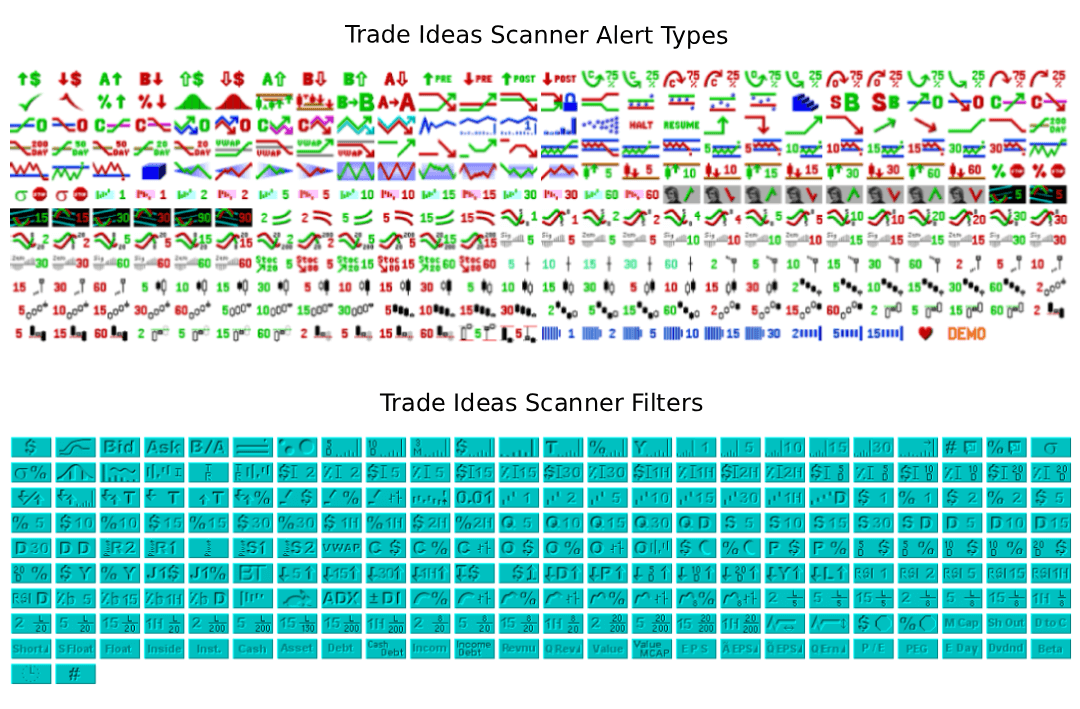
Trade Ideas gives you over 500 filters and alert types to work with, which sounds like marketing copy until you actually start building scans. Want stocks gapping up at least 10% with pre-market volume above 100,000 shares? Done in 30 seconds. Fibonacci retracements happening in real-time? Low float stocks hitting 52-week highs with RSI divergence? All of it, no coding required. Most screeners that offer this level of complexity make you write Python or set up custom scripts. Trade Ideas is drag, click, and run.
Real-Time Speed
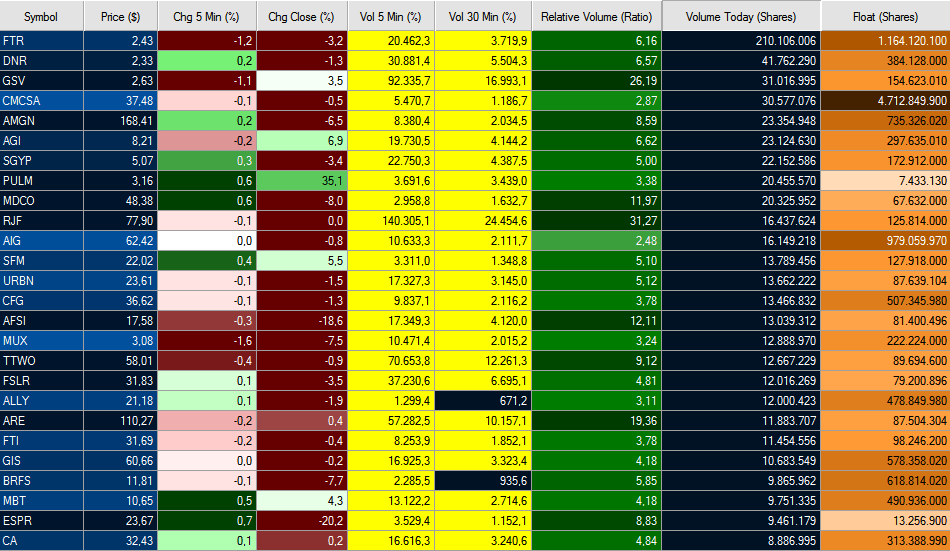
The speed difference versus broker-built screeners is real and it matters. Most built-in screeners refresh on a delay, anywhere from 30 seconds to several minutes. By the time they show you an opportunity, the move is already happening without you. Trade Ideas runs continuously, not on a refresh cycle, which means setups appear while they’re still developing rather than after everyone else has already piled in. Traders consistently report this as the main reason they stick with it after trying cheaper alternatives.
You can run multiple scans simultaneously, gap-ups, high relative volume, new highs, bull flags, all of them active at the same time. Traders in the Trade Ideas community typically run 6 to 10 concurrent scans during market hours depending on how many setups they’re tracking.
Pre-Configured Scanners
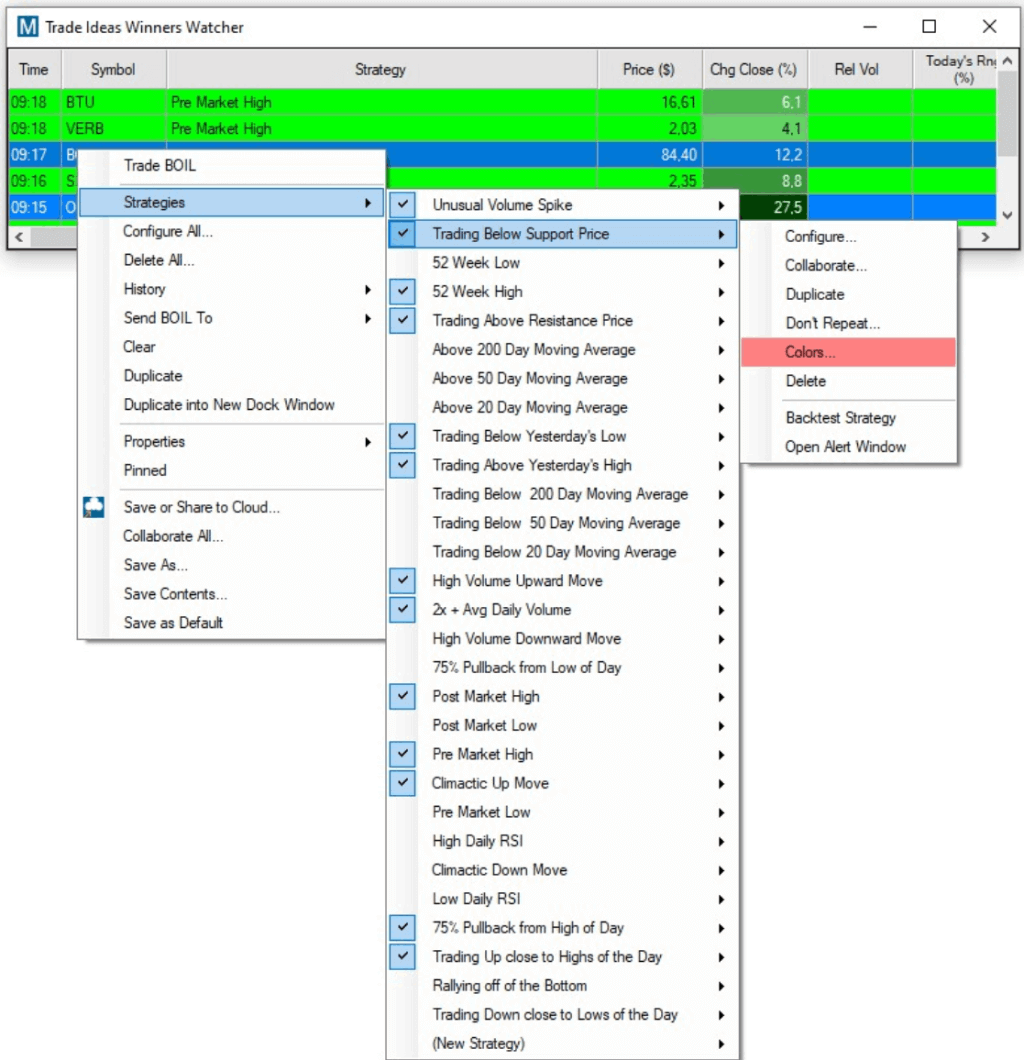
The platform also comes loaded with pre-configured scanners if you don’t want to build from scratch:
- Top gap-ups and gap-downs for pre-market prep
- Unusual volume movers for catching momentum early
- New highs and new lows for breakout and breakdown setups
- Low float stocks for small float plays
- Opening range breakouts for the first 30 minutes of the session
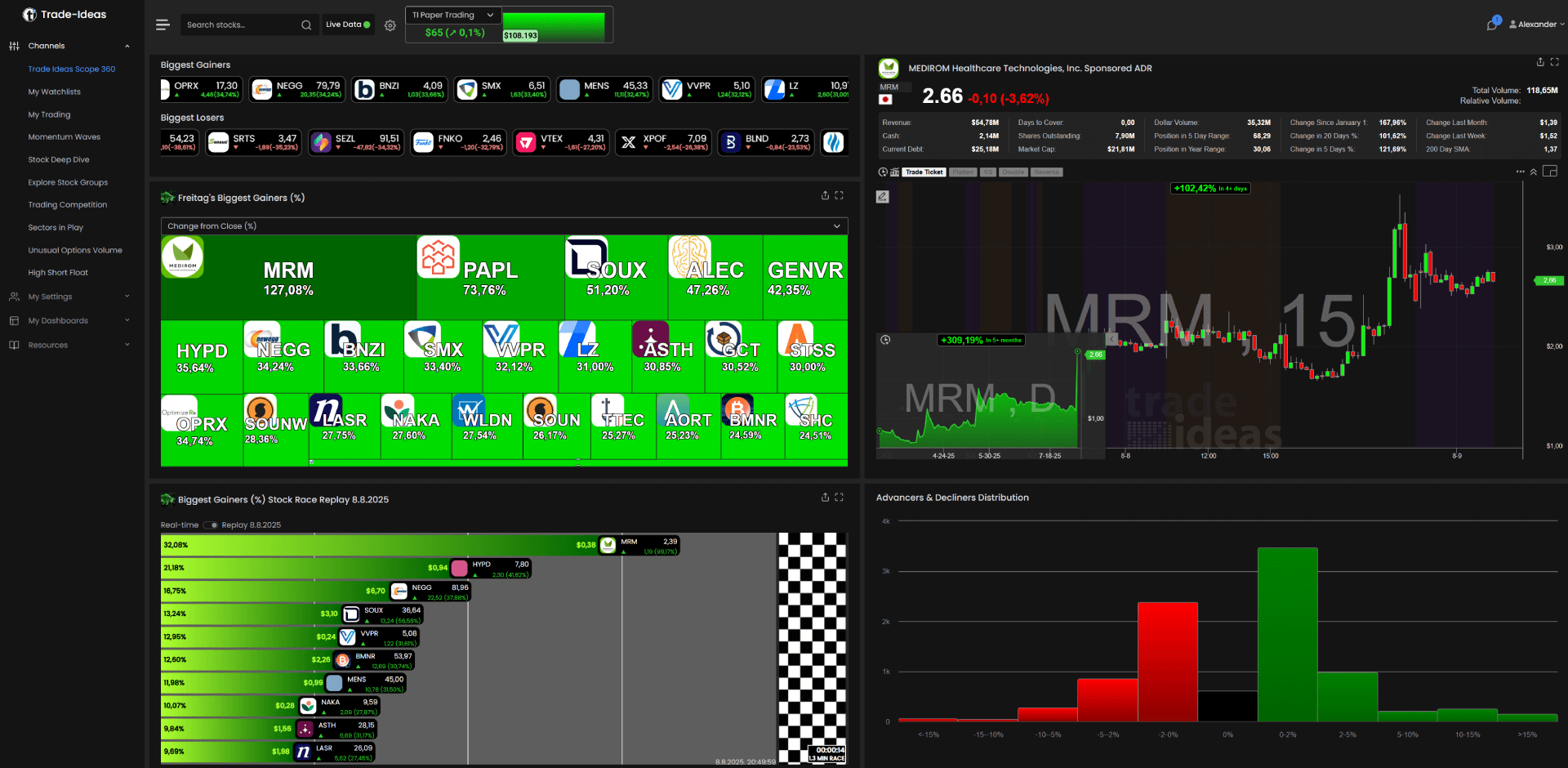
One thing worth knowing on data fees: Trade Ideas bundles all US exchange market data into the subscription. TradingView and some other platforms charge separately per exchange, which adds up fast. With Trade Ideas you’re not getting surprise line items for NYSE or Nasdaq real-time feeds.
Charts
These have improved more than most reviews give credit for. The indicator manager covers the standard day trading toolkit, VWAP, moving averages, RSI, volume, all customizable with periods and colors. Pre and post market display toggles on and off. You can overlay comparison symbols directly on a chart. Dark theme is available for Premium subscribers.
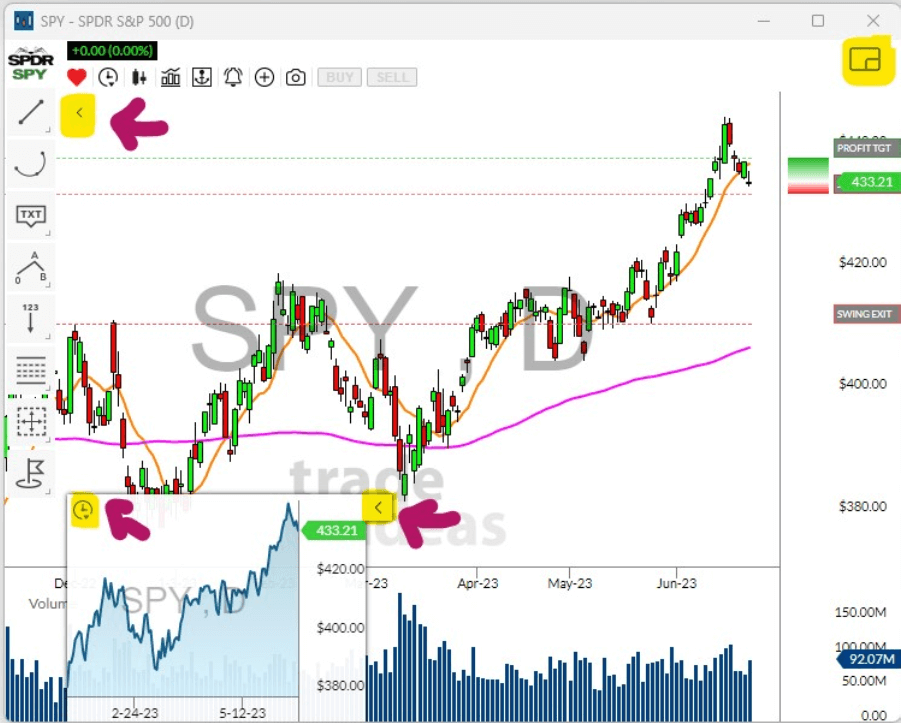
Picture-in-Picture charting is the standout feature here. Each chart window embeds a second timeframe inside it, so you’re watching two timeframes on one chart without switching windows. Run three chart windows and you’ve got six timeframes visible simultaneously. Idea Surfing pairs with this cleanly, rotating through your top scan results while all timeframes update automatically for each new stock.
Premium subscribers also get AI trades overlaid directly on the chart, showing exactly where Holly flagged entries, and Smart Risk Levels, which are AI-generated support and resistance markers that appear on the chart itself rather than in a separate window.
If you’re keeping a separate charting platform, External Linking handles the handoff. Click a ticker in your scanner and it loads instantly in TradingView, thinkorswim, or whatever you’re running. No manual symbol entry.
Still not TrendSpider for pure technical analysis depth. But the “basic charts” reputation is outdated at this point.
Trade Ideas HOLLY AI
Trade Ideas launched HOLLY back in 2016, years before every fintech startup started slapping “AI-powered” on their homepage. That head start matters because HOLLY has been trained on actual market cycles, including crashes, melt-ups, and everything in between, rather than a few years of post-pandemic data like most newer tools.
The way it works: HOLLY monitors thousands of stocks overnight, runs probability analysis on historical patterns, and generates specific trade recommendations each morning with entry prices, stop losses, and profit targets. Not vague directional signals. Actual levels.
One thing traders consistently highlight in community feedback is the transparency. Every HOLLY recommendation gets logged with its outcome, so you can review what it flagged at the open, what hit targets, what stopped out, and what it missed. That kind of accountability is genuinely uncommon. Most AI trading tools surface the wins and bury the losses. HOLLY shows the full record.
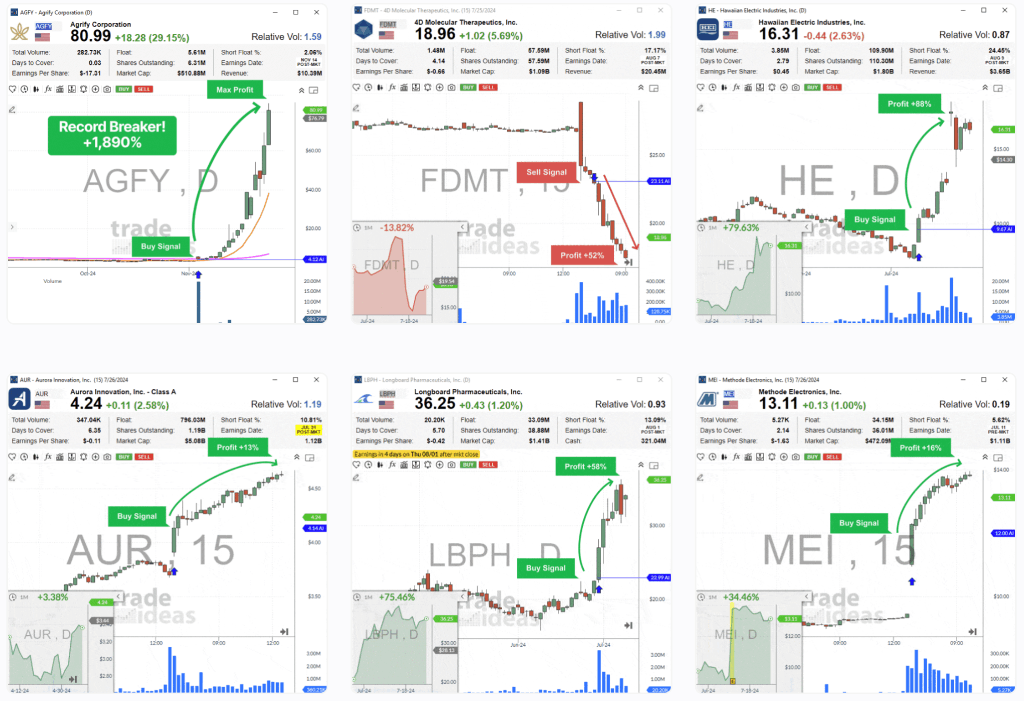
Premium subscribers get access to three distinct HOLLY strategies:
- Holly Grail: conservative approach, prioritizes win rate over gain size
- Holly 2.0: balanced risk/reward with a momentum focus
- Holly Neo: aggressive plays, lower win rate, larger potential gains when they hit
Each strategy runs independently and recalibrates based on current market conditions rather than static rules.
Money Machine
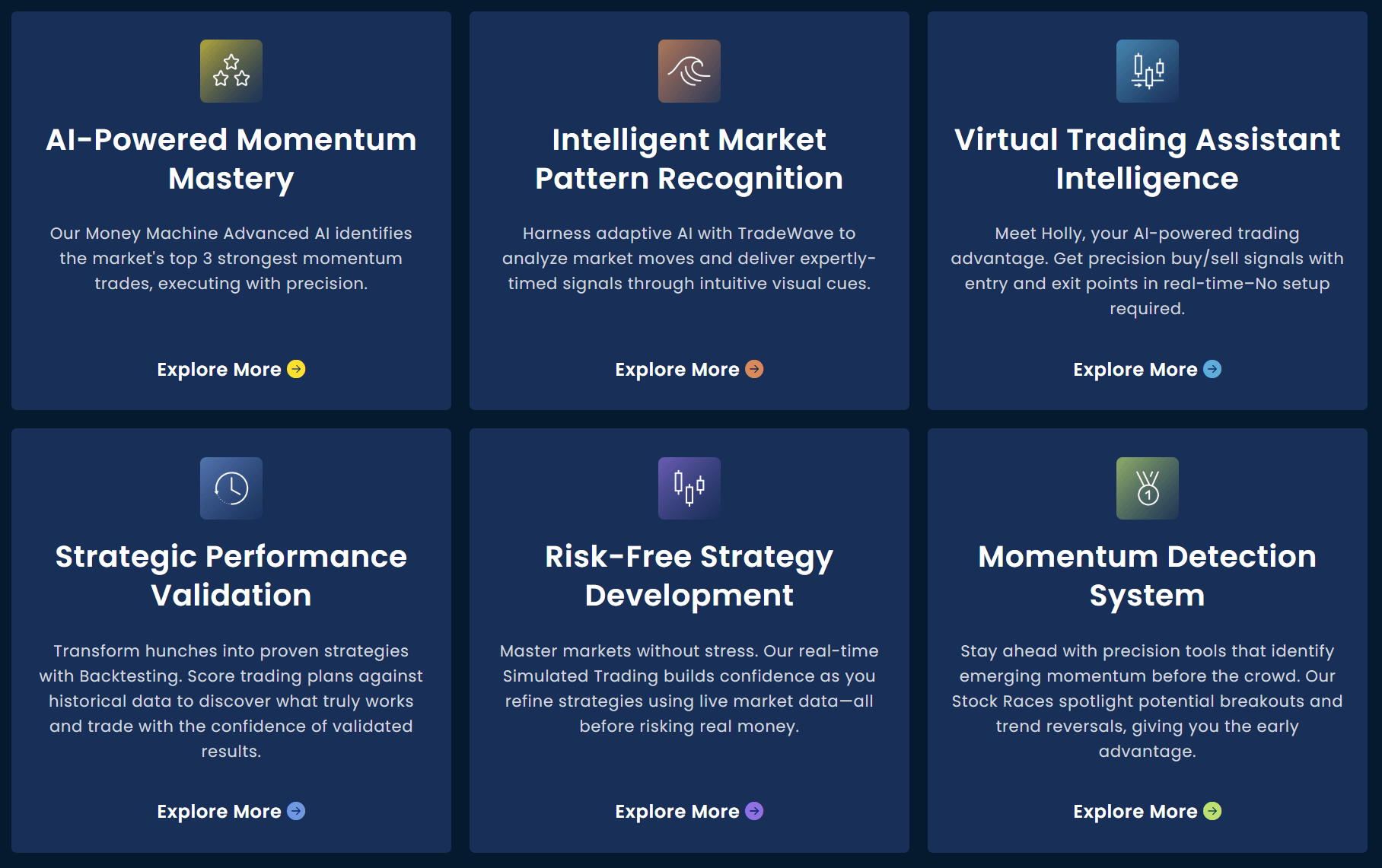
Money Machine is the second-generation AI layer built on top of HOLLY. Where HOLLY generates signals, Money Machine moves toward execution. You select your momentum direction, upside, downside, or both, and the system monitors and ranks stocks automatically, surfacing the top opportunities in real time.
As of early 2026 this is in a phased rollout. Wave 1 is complete, Wave 2 is expanding access. Simulation mode is available to all Premium subscribers now if you want to test it before the live execution rollout reaches your account. Traders who’ve been running it in simulation report the signal logic is consistent with what HOLLY produces, which is about the best you can say before committing real capital to any automated system.
Worth treating with appropriate caution regardless. Automation amplifies a working strategy and amplifies losses equally fast when something goes wrong. Simulation first, always.
TI Wave
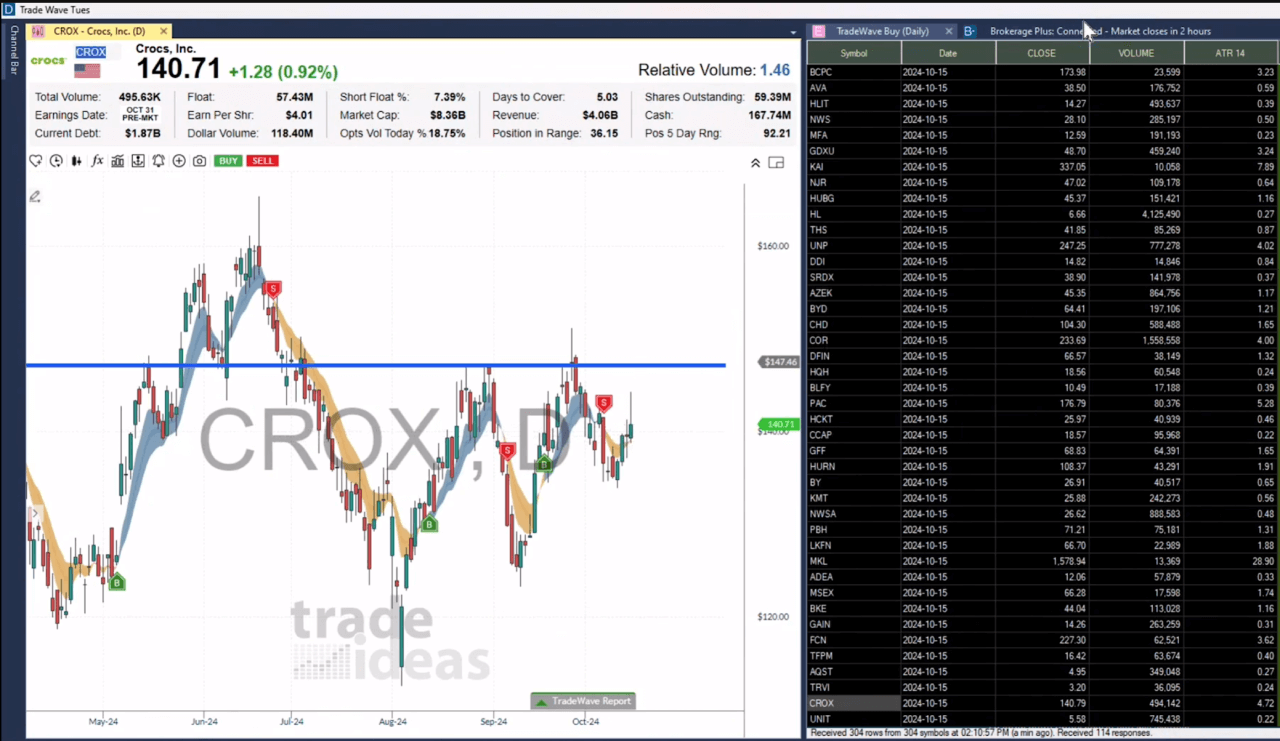
TI Wave is Trade Ideas’ visual signal overlay, EMA-based bands on your charts with green buy signals and red sell signals marked directly as “B” and “S” buttons. The difference from a standard EMA indicator is that the bands aren’t static. The AI recalibrates them in real time for each individual stock rather than applying fixed parameters across everything.
Traders typically use it as a confirmation layer rather than a standalone signal. When HOLLY flags a setup or a custom scan fires, checking TI Wave takes two seconds and either confirms the trend direction or raises a flag. Particularly useful in choppy conditions when a scan result looks promising but the trend context is ambiguous.
Works across timeframes, so it’s not exclusively a day trading tool. Scalpers, swing traders, and longer-term traders all use it the same way, just on different chart intervals. Compatible with Interactive Brokers for direct execution off the signal.
Education and Support
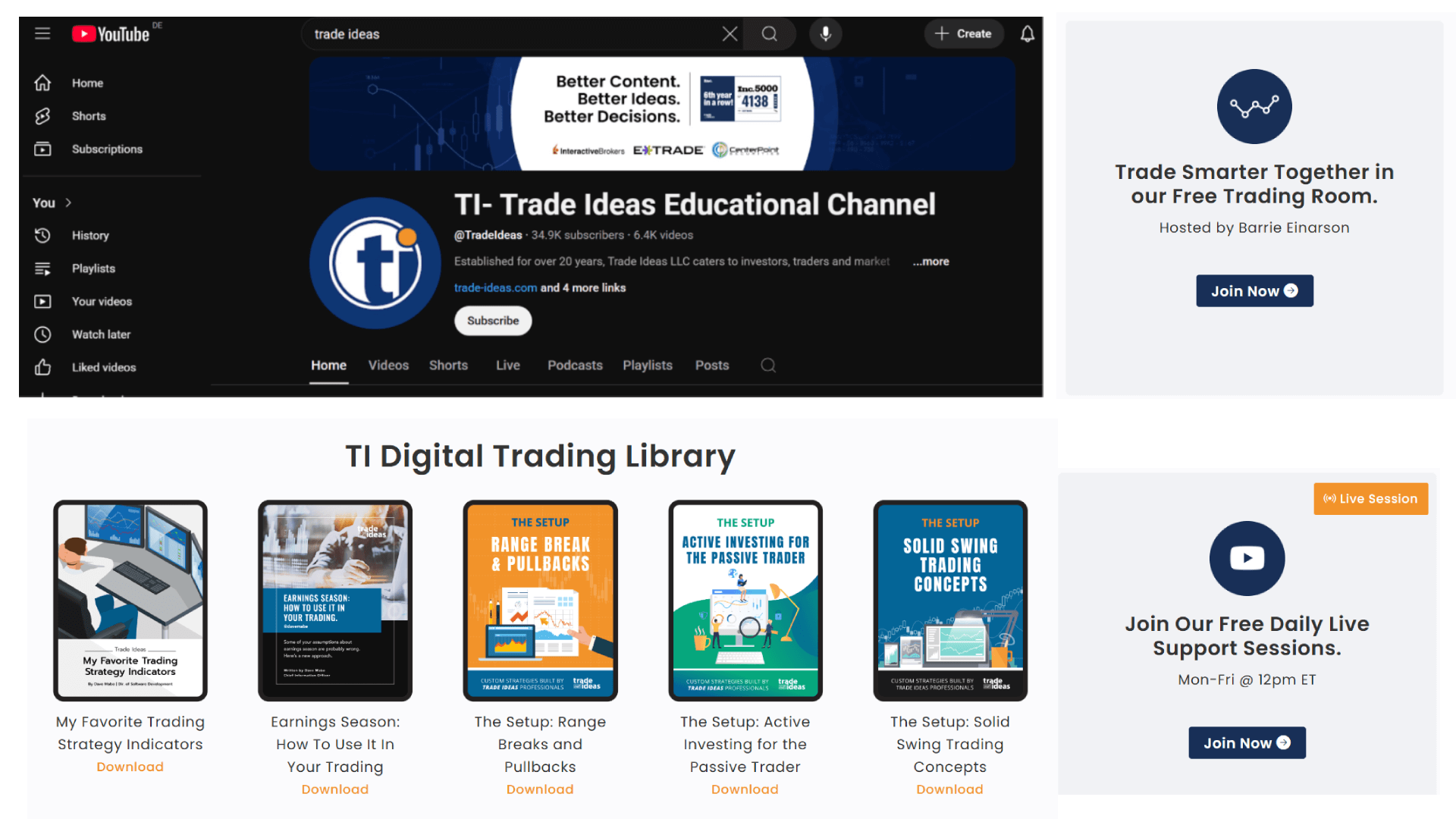
Trade Ideas has more educational infrastructure than most scanning tools bother with. Written guides cover every feature, there’s a substantial YouTube tutorial library, regular webinars, and TI University for deeper strategy development.
The live trading room is the part worth paying attention to. It runs daily during market hours, and based on community feedback it’s genuinely useful rather than just a sales vehicle. Traders share active scans, talk through setups in real time, and answer questions in the chat. For anyone new to scanning or trying to figure out how other traders actually configure their alerts, watching experienced users build scans live is more useful than any written guide.
The 12-minute daily YouTube session during market hours is also worth knowing about if you want a lower-commitment way to follow along without joining the full room.
Broker Integration
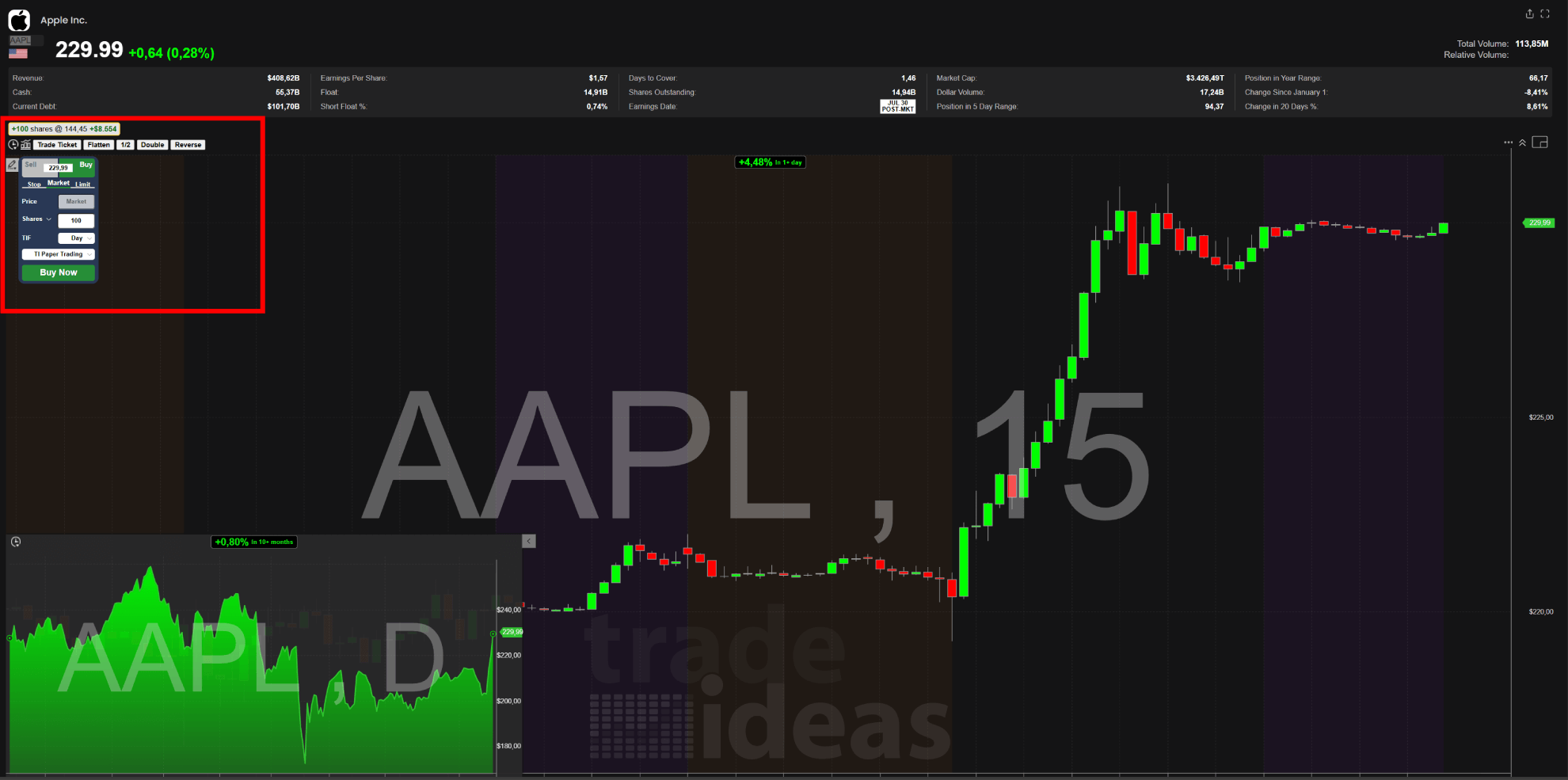
Most scanners stop at finding the setup. You still have to flip to your broker platform, type the symbol, set your levels, and execute. Trade Ideas skips that step through Brokerage+, which connects directly to Interactive Brokers, E*TRADE, and now TradeStation.
From inside Trade Ideas you can click buy/sell directly on the chart, use a trading DOM for order entry, or let HOLLY signals trigger orders automatically without manual input. The automation piece is the most discussed in community forums, and the consensus is consistent: it works well for traders who’ve validated their strategy thoroughly in simulation first. Rushing into automated execution before that is how accounts get hurt fast.
For traders who want the scanner and charting workflow but prefer keeping their own broker platform for execution, External Linking handles that cleanly as covered in the charts section above.
Paper Trading
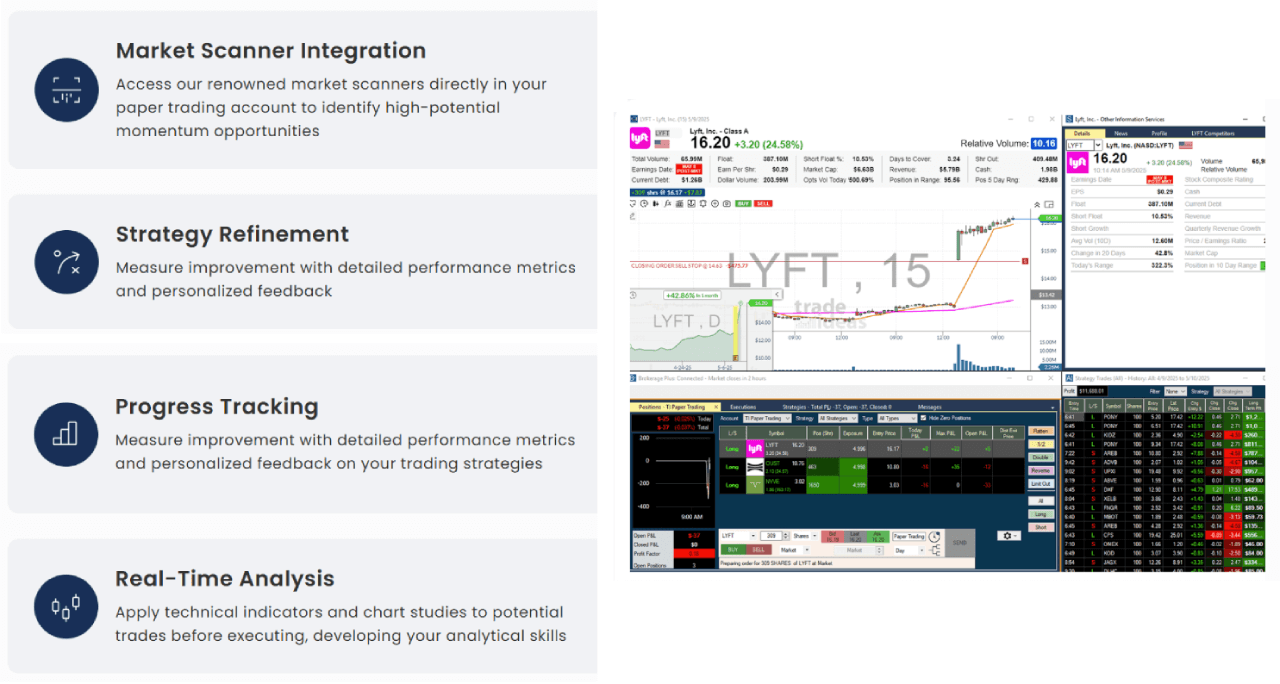
Trade Ideas includes a paper trading simulator at no extra cost, which isn’t a given at this price tier. You can run it on real market conditions with real-time data, follow HOLLY signals, test scanner configurations, and track performance across pre-market and regular hours. All without risking capital.
Traders consistently recommend spending meaningful time in simulation before going live, especially before touching any automated execution features. The simulator is the right place to validate that HOLLY’s signal style actually fits how you trade before committing real money to it.
OddsMaker Backtesting
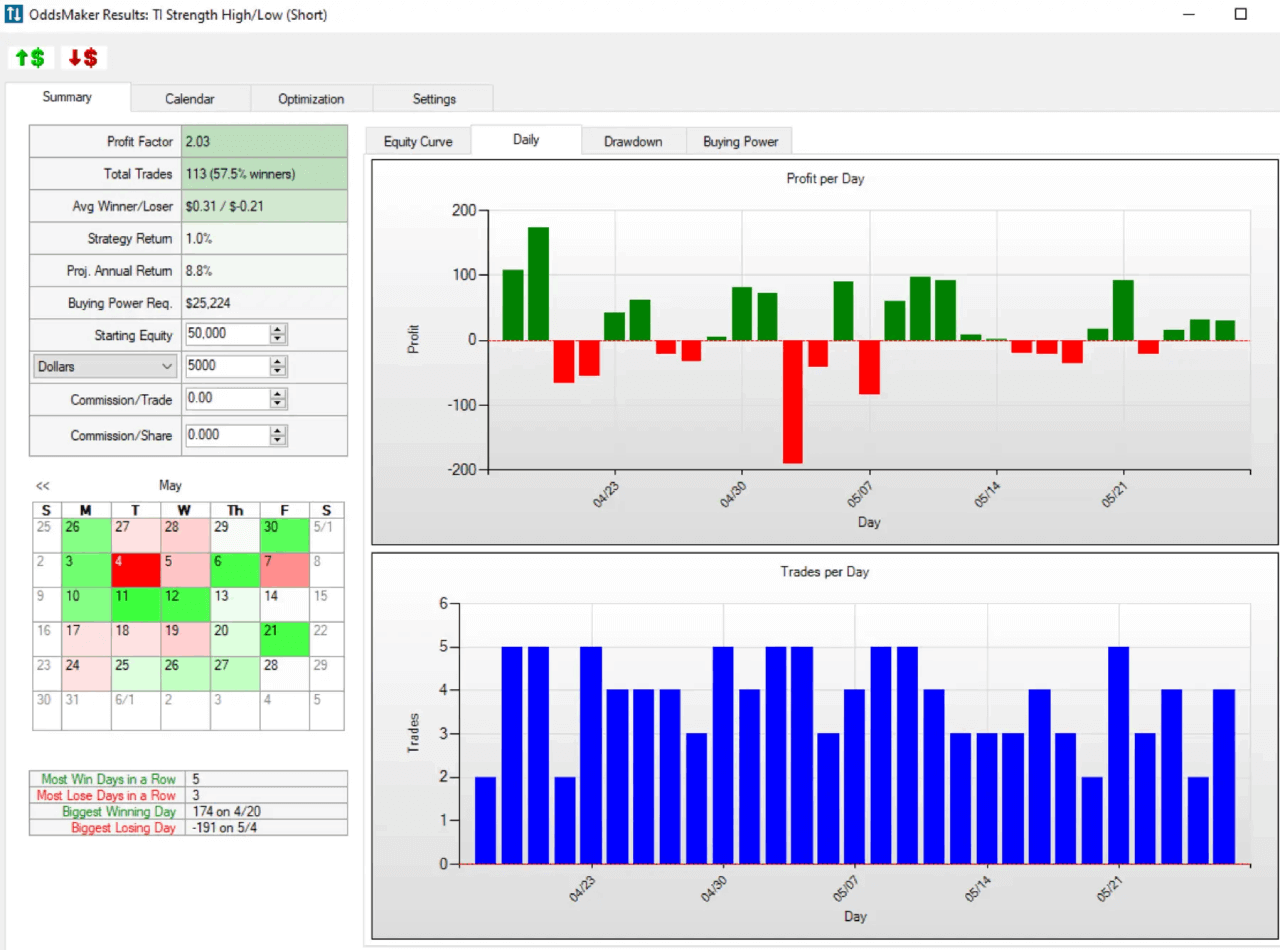
OddsMaker is the backtesting engine, and it’s more capable than the name suggests. Right-click any alert in your scanner, hit “Backtest Strategy,” and within seconds you get a full performance breakdown: profit factor, win rate, average winner and loser, max drawdown, equity curve, and a trade-by-trade breakdown across thousands of stocks simultaneously.
The event-based testing approach is worth understanding. Most backtesting tools run on time series, they test what happened at a fixed point in time. OddsMaker tests strategies triggered by actual market events, breakouts, volume spikes, moving average crosses, which is how day trading setups actually work in practice. No coding required at any point.
The optimization tab is particularly useful. It automatically identifies which filters in your scan are adding edge and which are dragging performance down, without you having to manually test combinations. For traders building systematic strategies, that alone saves hours.
Trade Ideas Pricing 2026
Three tiers. Two paid, one free.
The Tester (Free)
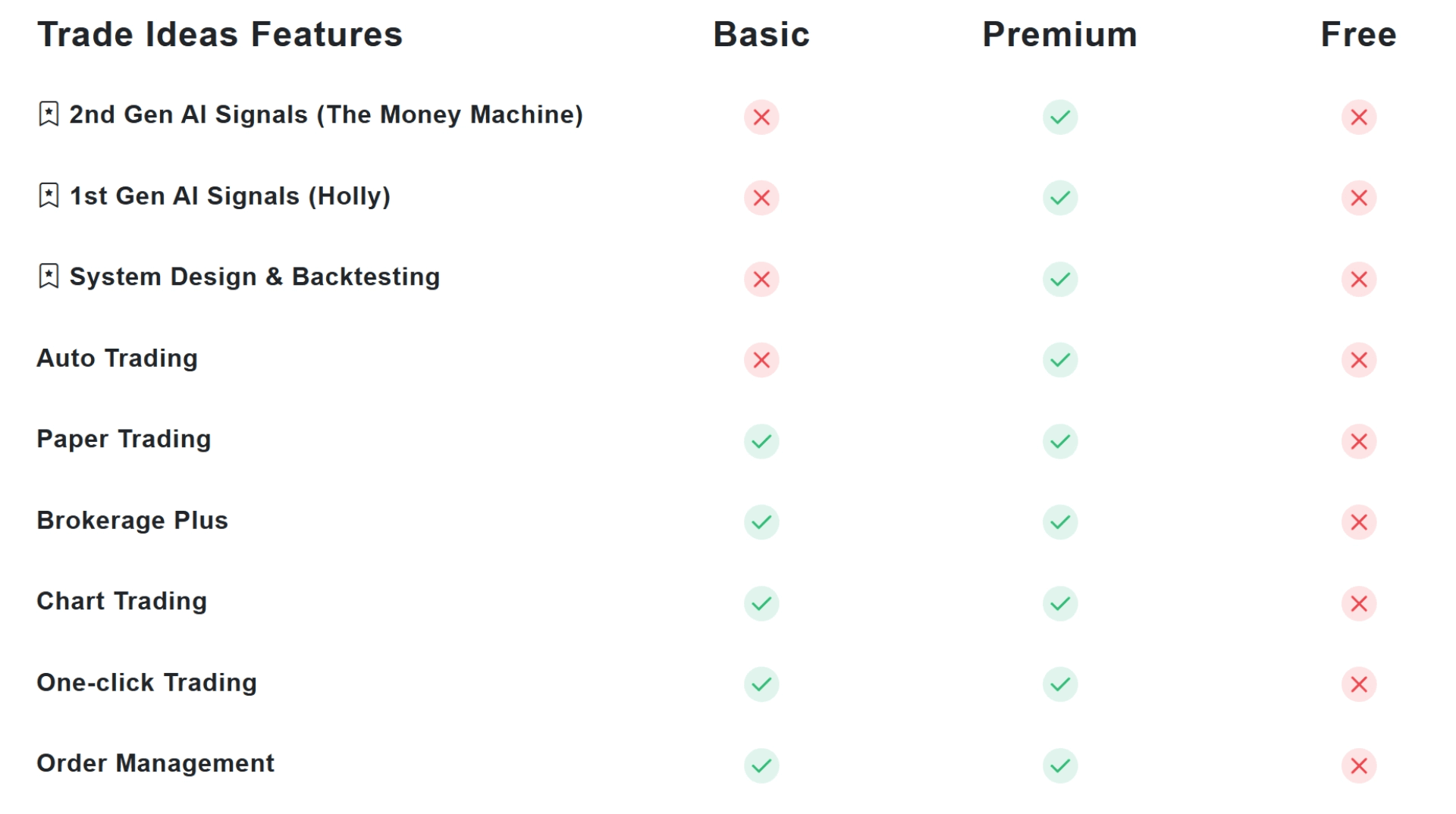
The free plan runs on 15-20 minute delayed data, which rules out live day trading. What you do get: Stock Racing, PiP charts, predefined alerts, technical indicators, and trading tournaments. Enough to learn the interface and decide if the platform logic makes sense before spending anything.
TI Basic: $127/month or $89/month billed annually ($1,068/year)
The entry-level paid plan covers everything most active scanners actually need. Real-time data, 10 charts on screen simultaneously, customizable layouts, real-time paper trading, in-app trading via Brokerage+, TI Wave, 500+ data points and filters, pre-market and after-hours data, price alerts, chart drawing tools, and the formula editor.
What Basic doesn’t include: HOLLY AI signals, OddsMaker backtesting, Smart Risk Levels, the Channel Bar templates, RBI/GBI Window, and automated trading. If scanning and manual execution is your workflow, Basic is sufficient. If you want the AI layer, you need Premium.
TI Premium: $254/month or $178/month billed annually ($2,136/year)
Premium adds everything Basic has plus the full AI stack: 1st Gen HOLLY AI signals, OddsMaker backtesting, Smart Risk Levels on charts, the Channel Bar with 20+ curated trading templates, RBI/GBI Window, automated trading, customizable multi-strategy windows, customizable Stock Races, unlimited watchlists, and 20 charts on screen instead of 10.
This is the tier that makes sense if you’re planning to use HOLLY signals seriously, run backtested strategies, or eventually move toward automated execution via Money Machine.
Add-ons
Three optional add-ons available on top of either paid plan:
- AVWAP ($49/month): automated Anchored VWAP setups for traders who build strategies around Brian Shannon’s methodology
- GoNoGo ($49/month): momentum signals and trend clarity indicators
- Weekly Swing Picks ($17/month): 5 curated swing trade ideas delivered weekly
The add-ons are straightforward. AVWAP is worth it if anchored VWAP is already core to how you trade. GoNoGo overlaps somewhat with TI Wave for trend confirmation, so running both is probably redundant for most traders. Weekly Swing Picks is a different product category entirely, more of a research service than a tool.
Annual vs Monthly
Annual billing saves $456 on Basic and $912 on Premium versus paying monthly. If you’re committing to the platform seriously, the annual plan pays for itself quickly. If you’re still evaluating, start monthly and switch after you’ve validated it fits your workflow.
Use code PROP15 for 15% off anytime. Codes PROP22, PROP25, PROP28, and PROP30 offer larger discounts but only activate during flash sales, worth trying at checkout regardless.
FAQ
Is Trade Ideas a broker?
No. Trade Ideas is a scanning and analysis platform, not a brokerage. You need a separate broker account to execute trades. Brokerage+ connects the platform to Interactive Brokers, E*TRADE, and TradeStation for direct execution, but the brokerage relationship is with those firms, not Trade Ideas.
What win rate does HOLLY AI have?
Win rates vary by strategy and market conditions. Holly Grail runs the most conservatively and typically produces the highest win rate of the three strategies. Holly Neo takes more aggressive plays with a lower win rate but larger potential gains. Trade Ideas publishes HOLLY’s full trade log including losers, so the historical record is verifiable rather than cherry-picked.
Does Trade Ideas work on Mac?
The full desktop platform is Windows only. Mac users can run it through Parallels or similar virtualization software. The web version works natively on Mac and covers most features including scanning, charting, Stock Racing, and Money Machine visualization, but serious day trading functionality is better suited to the desktop build.
Trade Ideas vs Finviz Elite, which is better?
Depends entirely on what you need. Finviz Elite at $40/month is a solid screener for traders who know what they’re looking for and execute manually. Trade Ideas at $127-$254/month adds continuous real-time scanning, HOLLY AI signals, automated execution, and OddsMaker backtesting. If you’re trading actively and want the platform finding setups for you, Trade Ideas justifies the premium. If you mainly screen for ideas and do your own analysis, Finviz Elite is hard to beat on value.